Best Receipt Scanner for Grocery Shopping
Looking for the best receipt scanner for grocery shopping? Learn what features matter and how digital receipts can help track grocery spending over time.
Best Receipt Scanner for Grocery Shopping
You probably know roughly what you spent on groceries last week. Somewhere around $120, maybe $130.
But ask yourself: how much of that went to produce? Did meat prices go up, or did you just buy more of it this time? Was that $130 actually higher than usual, or does it just feel that way?
Most people can't answer those questions — not because they're bad with money, but because the only record that could answer them got thrown out, lost in a coat pocket, or faded into illegibility weeks ago.
A receipt scanner fixes that. It turns every shopping trip from a number you vaguely remember into a record you can actually search, compare, and learn from.
A receipt isn't just a total — it's the most detailed record of a shopping trip you'll ever have access to.
It shows every item you bought, the exact price you paid for each one, any discounts or promotions applied, taxes, and the final amount. That's a level of detail no memory can match, and no rough estimate can replace.
Over time, those receipts stop being individual records and start becoming a pattern. You can see that ground beef has gotten 15% more expensive since spring. That one store consistently runs higher than another for the same items. Those snacks quietly make up a bigger share of your budget than you'd guess.
None of that is visible from a single trip. It only becomes visible once receipts stick around long enough to compare.
Paper receipts have a short, predictable life cycle: checkout, pocket, eventually gone.
They end up crumpled in bags, lost in cars, or buried in a kitchen drawer with a dozen others. Even when you do hang onto them, finding one from three months ago means digging through a pile and hoping it's still legible — thermal paper fades fast, often within weeks.
By the time you might actually want to look something up — comparing this month's spending to last month's, checking whether a price really did go up, reviewing where your money went — the receipt that could answer the question is usually long gone.
Plenty of apps claim to scan receipts. Far fewer get used past the first week. The ones that stick share a few specific qualities.
Fast capture. Open the app, take the photo, done. If scanning a receipt takes more effort than just shoving it in a drawer, most people will keep shoving it in the drawer.
Organized, searchable storage. A receipt you can't find later isn't much better than a receipt you lost. You should be able to pull up a specific trip, store, or date without scrolling through dozens of images.
Actual spending history, not just storage. This is the difference between a filing cabinet and a useful tool. A single receipt tells you about one trip. A connected history shows you trends — rising prices, category spending, and month-over-month changes.
A simple, uncluttered interface. If using the app feels like a chore, it gets abandoned after a few trips. The best receipt scanners disappear into the background of your routine rather than adding friction to it.
If an app does all four of these reliably, it's worth keeping. If it's missing even one, you'll likely stop using it within a month.
This is where receipt scanning earns its place beyond simple convenience.
A single receipt tells you what happened on one trip. A growing collection of them tells you something much more useful — how your actual grocery habits are evolving.
You start noticing things that were invisible before: that your snack spending has crept up over the past few months without you really deciding it should. That one store has quietly become more expensive than the other you shop at. That your total grocery spend has climbed 15-20% over the past half year, even though it didn't feel like any single trip got dramatically more expensive.
These aren't dramatic discoveries. They're small, gradual patterns — exactly the kind that are impossible to notice trip by trip, and obvious the moment you can actually look back at the data.
Most spending decisions happen in the store, not after it. That's the role a running grocery total while shopping plays — giving you visibility while you can still act on it.
A receipt scanner picks up where that leaves off. Once the trip is over, the receipt becomes the record that helps you understand why the total was what it was and what to do differently next time.
One tool helps you control a single trip. The other helps you understand and improve every trip after it. Together, they cover the full picture — before checkout and after it.
It's easy to think of a receipt scanner as a digital filing cabinet — a place to dump photos so you don't have to deal with paper. That undersells what it actually becomes.
Every receipt is a small story: what you bought, what you paid, and how that compares to last time. A handful of those stories don't tell you much. Dozens of them, built up over months, become a genuinely useful account of your grocery habits — one detailed enough to actually change how you shop.
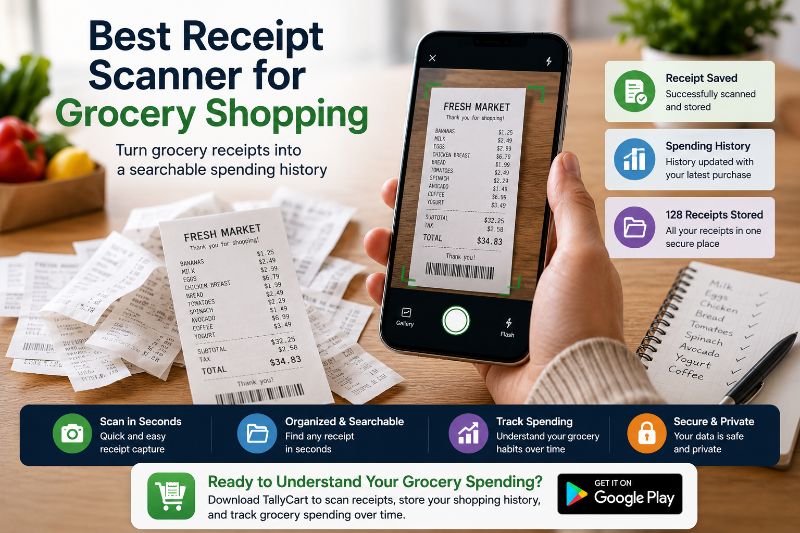
Tally Cart's Receipt Scanner captures and organizes your grocery receipts automatically, so you always have a searchable history of what you bought, what you paid, and how your spending has changed over time — without keeping a single piece of paper.
The best receipt scanner for grocery shopping isn't the one with the longest feature list. It's the one you'll actually open after every trip, without it feeling like extra work.
The easier it is to capture and review receipts, the more valuable that history becomes — and the more clearly you'll see exactly where your grocery money is going, month after month.
Why scan receipts if I already track my spending while shopping?
A running total while you shop tells you what you're about to spend. A receipt history tells you what actually happened, in detail, after the fact — including category breakdowns and price trends that a running total alone can't show you. They answer different questions and work best together.
How long should I keep digital grocery receipts?
There's little downside to keeping them indefinitely, since digital storage doesn't fade or take up physical space. Even six months of history is usually enough to start seeing meaningful spending and pricing patterns; a full year gives you seasonal comparisons as well.
Do I need to scan every receipt for this to be useful?
No — partial records still reveal patterns, just less completely. The goal isn't perfection, it's consistency over time. Missing an occasional trip won't undermine the value of the trips you do capture.
Will a receipt scanner work at any grocery store?
Generally, yes. As long as the store gives you a standard paper receipt, it can be photographed and scanned regardless of the chain, size, or location.
What's the difference between scanning a receipt and just photographing it with my camera?
A regular photo preserves the image but leaves all the organizing and analyzing to you. A dedicated receipt scanner extracts the actual data — items, prices, totals — and structures it so you can search, sort, and compare across trips automatically, without manually reading through old images.
Can a receipt scanner help me catch pricing mistakes at checkout?
Yes — this is a practical, often-overlooked benefit. If something rings up at a different price than the shelf showed, a scanned receipt gives you a clear, time-stamped record to reference for a correction or refund request.
Is this only useful for people on a strict grocery budget?
Not at all. Even shoppers who aren't tightly budgeting benefit from spotting price increases early, understanding where their money actually goes, and having organized records available if they ever need to reference a past purchase.
Ready to Track Your Grocery Spending?
Stop guessing at checkout. TallyCart helps you scan shelf prices, track spending in real time, and stay within budget.
- Track spending while you shop
- Scan shelf prices instantly
- Store and organize receipts
- Stay within budget