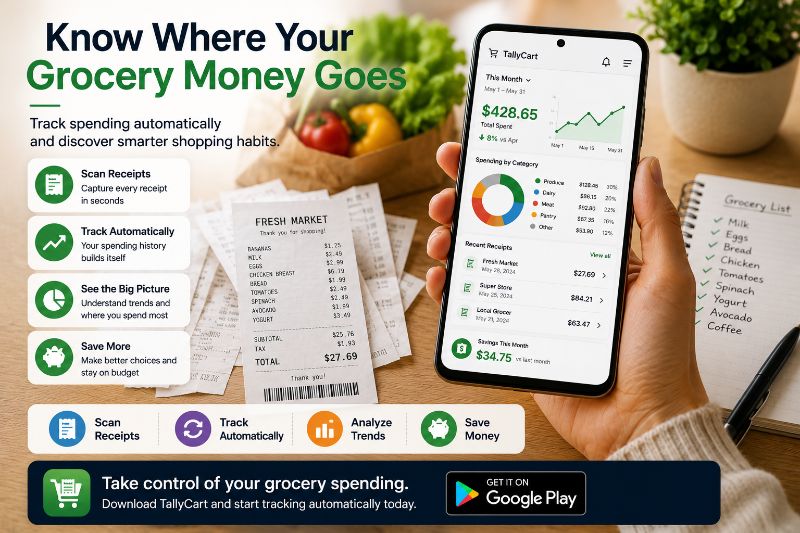
Track Grocery Spending Automatically
Track grocery spending automatically with digital receipts, spending history, and smart insights that help you control your grocery budget and make better shopping decisions.
Track Grocery Spending Automatically
One week it's $85. The next it's $132. The week after that, $108.
You're buying roughly the same things, shopping at the same stores, cooking the same meals. So why does the number keep moving around?
Most shoppers assume it's just how groceries work — unpredictable, variable, impossible to really nail down. But the swings almost always have explanations. Seasonal price changes. A different store. A week with more household events. Snacks creeping up quietly in the background.
The problem isn't that grocery spending is random. The problem is that without a record, it looks random. And things that look random can't be managed.
Automatic tracking changes what you can see — and what you can see, you can actually do something about.
Ask yourself what you spent on groceries three weeks ago. Not roughly — specifically. What categories did the money go to? Did prices go up or did you just buy more? What was different about that trip compared to the one before it?
Almost nobody can answer those questions accurately, and it's not a failure of attention. It's just how memory works. We're reasonably good at remembering totals. We're genuinely bad at remembering the details that created those totals — and the details are exactly where better decisions come from.
You remember that the week felt expensive. You don't remember that it was specifically the meat prices that drove it, combined with a few impulse grabs in the snack aisle that added another $18 you didn't account for. That difference — between feeling like something happened and knowing what actually happened — is the gap that automatic tracking closes.
There's a specific shift that happens when you move from remembering to tracking:
Remembering: "Groceries have been getting more expensive lately."
Tracking: "Our grocery spending has increased 17% over the past three months, split between a 9% price increase on produce and a measurable uptick in snack purchases since July."
One of those leads to a vague resolve to "be more careful." The other tells you exactly where to look and what to change.
That's not a small difference. It's the difference between guessing your way toward a better budget and actually building one.
Manual tracking — spreadsheets, notes apps, trying to remember — works in theory and fails in practice. It requires consistent effort at moments when you're already focused on something else. It falls apart after one missed trip and rarely gets restarted.
Automatic tracking removes the effort from the equation. Instead of requiring you to log data, it builds your spending history from things you're already doing: scanning receipts after each trip, logging prices as you shop.
Over time, that history does things no manual system can:
It shows trends, not just totals. A single receipt tells you what one trip cost. Six months of receipts tell you which categories are getting more expensive, which stores run cheaper for your specific shopping habits, and where your budget has been quietly drifting.
It makes patterns visible that were always there. Once you can see your spending across multiple trips, things that felt random stop looking random. The expensive weeks almost always have explanations — and once you can identify them, you can start managing them.
It catches small changes before they become large ones. A $0.50 price increase on something you buy weekly adds up to $26 a year without ever feeling significant in any individual trip. Automatic tracking surfaces those changes while they're still small enough to act on.
It removes the need for memory. You don't have to remember what you spent last month to compare it to this month. The history is just there, accurate and searchable, whenever you need it.
The discoveries that come from tracked spending aren't usually dramatic. They're small patterns that were always true — you just couldn't see them before.
Things like: one store you've been shopping at out of habit is consistently 10-15% more expensive than another for the same items. Or that your "cheap" weekly snack habit adds up to more than your produce spending across a month. Or that a specific category — dairy, proteins, household items — has gotten meaningfully more expensive over the past few months while everything else stayed flat.
None of these are things you'd notice trip by trip. All of them become obvious once you have a spending history that lets you look back.
Grocery spending has two phases, and they require different tools.
Before checkout is when you still have the ability to change things. Seeing your running total climb in real time while you're still in the store is what lets you put something back, swap for a cheaper alternative, or decide something can wait until next week. If you want to go deeper on this, our guide on maintaining a running grocery total while shopping covers that side of the equation.
After checkout is when the record matters. The receipt captures everything that happened — every item, every price, every discount — and becomes the data point that makes your spending history accurate and useful. If you haven't built this habit yet, our guides on how to digitize grocery receipts and choosing the best receipt scanner for grocery shopping are good starting points.
Together, these two phases give you a complete picture: visibility while you're shopping, and a reliable record after you leave.
There's a consistent pattern in how people respond to spending data: when you can see where money is going in detail, you naturally start making different choices — not because you're forcing yourself to, but because the information makes the tradeoffs visible.
You were always choosing between the name brand and the store brand. You were always deciding whether that snack was worth it. But those decisions looked different when you couldn't see their cumulative effect. Once you can — once you can see exactly what a category is costing you month over month — the same decisions start resolving differently without any extra discipline required.
That's not a minor effect. It's the entire argument for tracking. The goal isn't a more complicated budget. It's information clear enough that better choices become the obvious ones.
Tally Cart combines shelf price tracking, receipt scanning, and automatic spending history into one place — so you can see what you're spending in the store, capture a complete record after each trip, and watch your grocery habits become clearer over time without any manual data entry.
You can see how it works starting with the Receipt Scanner feature.
The spending swings aren't random. The patterns were always there. The expensive weeks had explanations. The categories eating your budget had names.
You just didn't have a way to see any of it — which made managing it feel like guesswork rather than something you could actually get better at.
Automatic tracking doesn't require more discipline or a stricter budget. It just gives you the information you've been making decisions without. And once you have it, the guesswork stops.
What's the difference between automatic tracking and just keeping a budget?
A budget tells you what you plan to spend. Automatic tracking tells you what you actually spent, broken down by trip, store, category, and item. A budget without tracking is a goal with no feedback. Tracking turns that goal into something you can measure your progress against.
How is this different from checking my bank statement?
Your bank statement shows a single line item — "Grocery Store, $94.17." It tells you the total but nothing about what made up that total. Automatic grocery tracking shows you every item, every price, and how that trip compares to others. That level of detail is what lets you spot trends and make actual changes.
Does automatic tracking require me to enter data manually?
Not much, and ideally none at all. The combination of logging prices at the shelf and scanning receipts after checkout builds your history automatically. The goal is that the tracking happens as a natural byproduct of shopping — not as extra work you have to remember to do.
How long does it take before the data becomes useful?
A single trip gives you a baseline. Two or three trips start showing comparisons. A month of trips reveals category patterns. Three to six months is when trends become clearly visible — price changes, spending shifts, store comparisons. The value grows the longer you keep using it.
What if I miss a trip or forget to scan a receipt?
The history is still useful. Missing an occasional trip leaves a gap but doesn't break the pattern — it's still far more information than you'd have otherwise. Imperfect tracking over time beats perfect tracking that only lasts a few weeks.
Can this help me deal with grocery inflation specifically?
This is one of the most practical use cases. When you have a price history for items you buy regularly, you can see exactly which ones have gotten more expensive, by how much, and when the increases happened. That's much more actionable than the general sense that "everything costs more now."
Is this only useful for people with tight grocery budgets?
No. Even shoppers who aren't on a strict budget benefit from understanding where their money goes, catching price increases early, and being able to compare trips over time. Most people who start tracking discover at least one spending pattern they didn't expect — and that discovery is valuable regardless of budget size.
Does automatic tracking tell me where to shop?
It can, over time. If you shop at multiple stores, your history will show you which one tends to run more or less expensive for the specific items you actually buy — not which store advertises the lowest prices, but which one actually costs you less based on your real shopping patterns.
¿Listo para rastrear tus gastos de comestibles?
Deja de adivinar en la caja. TallyCart te ayuda a escanear precios de estante, rastrear gastos en tiempo real y mantenerte dentro del presupuesto.
- Rastrea gastos mientras compras
- Escanea precios de estante al instante
- Almacena y organiza recibos
- Mantente dentro del presupuesto